Features Why Choose Screenshots AI Assistant FAQ Download APK
Version 1.0 — Now Available

Mystic Lock

Secure Your Apps With Fingerprint, Face Unlock, PIN & Pattern Protection. The most advanced app lock with an AI-powered voice assistant.

10+

Security Features

AI

Voice Assistant

5+

Lock Methods
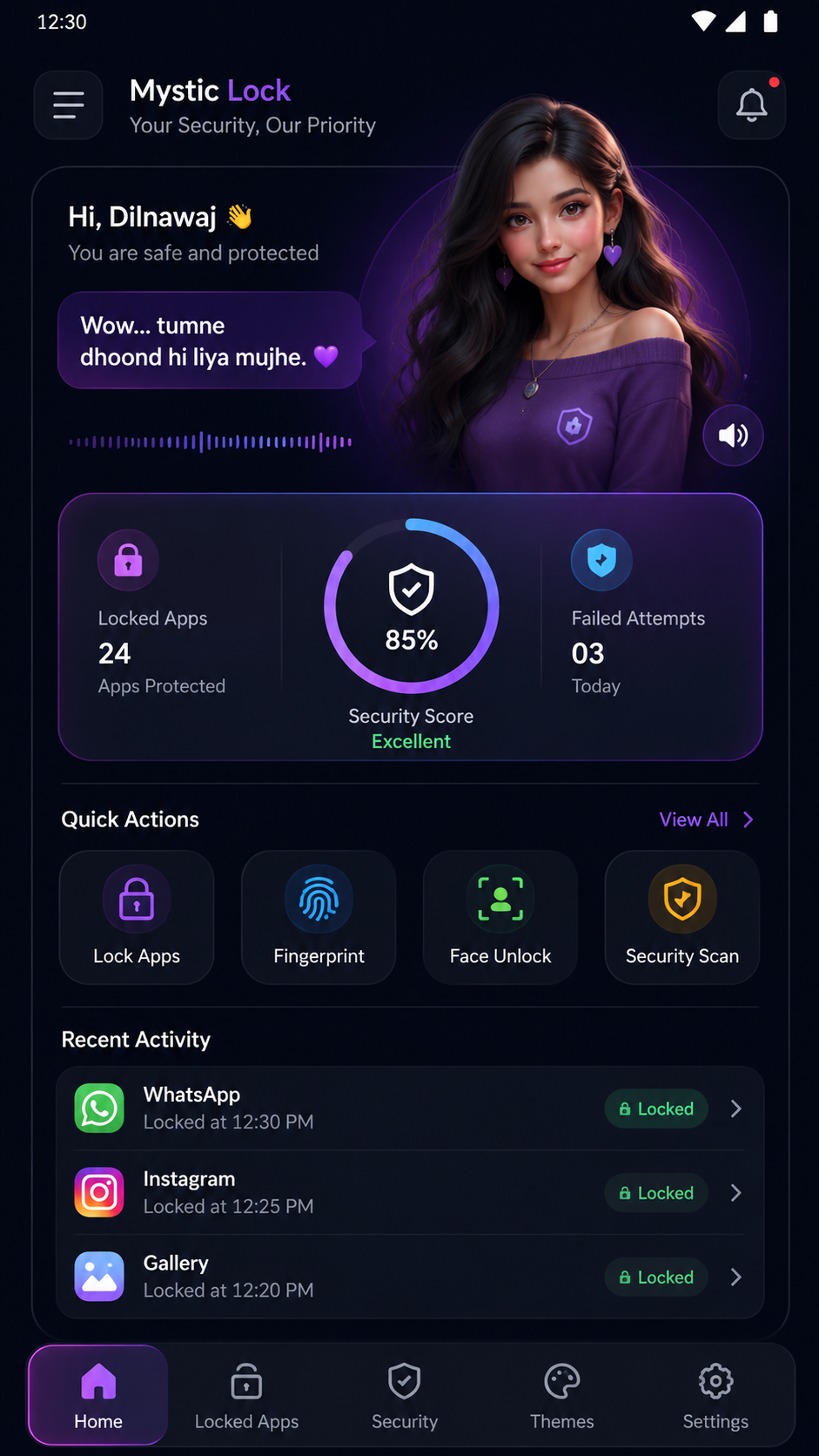
Mystic Lock Home Screen
🔒 Apps Locked
✅ 85% Secure

Powerful Security Features

Everything you need to keep your apps and data safe, wrapped in a stunning interface.

💃

Fingerprint Lock

Fast biometric authentication using your device fingerprint sensor for instant app access.

👤

Face Authentication

Unlock protected apps with advanced facial recognition for hands-free security.

🔃

Pattern Lock

Draw a custom pattern to unlock. Create unique patterns only you can reproduce.

🔑

PIN Protection

Set a secure numeric PIN code to protect sensitive apps from unauthorized access.

🔐

Password Protection

Create strong alphanumeric passwords for an extra layer of security on private apps.

🤖

AI Voice Assistant

Interactive AI assistant with personality that responds to your actions and keeps you entertained.

📷

Intruder Detection

Automatically captures a photo of anyone who enters a wrong password or pattern.

📈

Security Reports

Get detailed reports on access attempts, intruder alerts, and overall security status.

🌙

Dark & Light Themes

Switch between dark, light, AMOLED black, neon, and more themes to match your style.

Premium UI Design

Polished modern interface with smooth animations, gradients, and a premium feel throughout.

Why Choose Mystic Lock

Built with performance, security, and user experience at its core.

Fast & Lightweight

Optimized for minimal resource usage. Runs smoothly without draining battery or slowing down your device.

🛡

Modern Security

Leverages the latest Android security APIs with biometric hardware integration for military-grade protection.

🎨

Beautiful Interface

Crafted with attention to every pixel. Smooth animations and elegant gradients make security feel premium.

🔐

Multiple Lock Methods

Choose from fingerprint, face unlock, pattern, PIN, or password. Mix and match for different apps.

💡

Privacy Protection

All lock data stays on your device. Authentication happens locally on hardware — zero data leaks.

🔋

Battery Optimized

Intelligent background management ensures minimal battery usage with smart sleep modes when not needed.

App Screenshots

Take a look at the beautiful screens and intuitive interface of Mystic Lock.

Home Dashboard

Home Dashboard

Security overview & quick actions

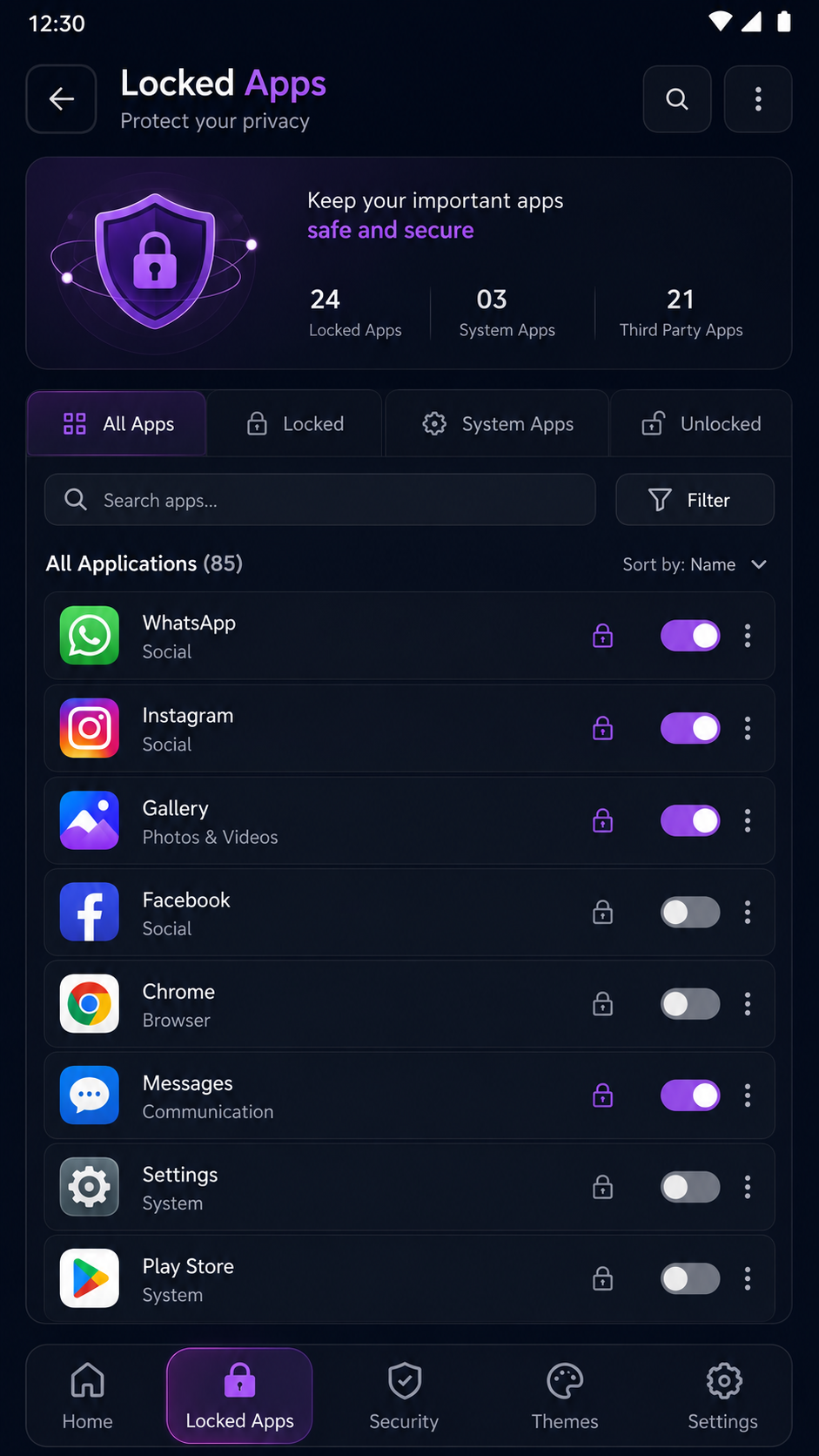
Locked Apps

Locked Apps

Manage all your protected apps

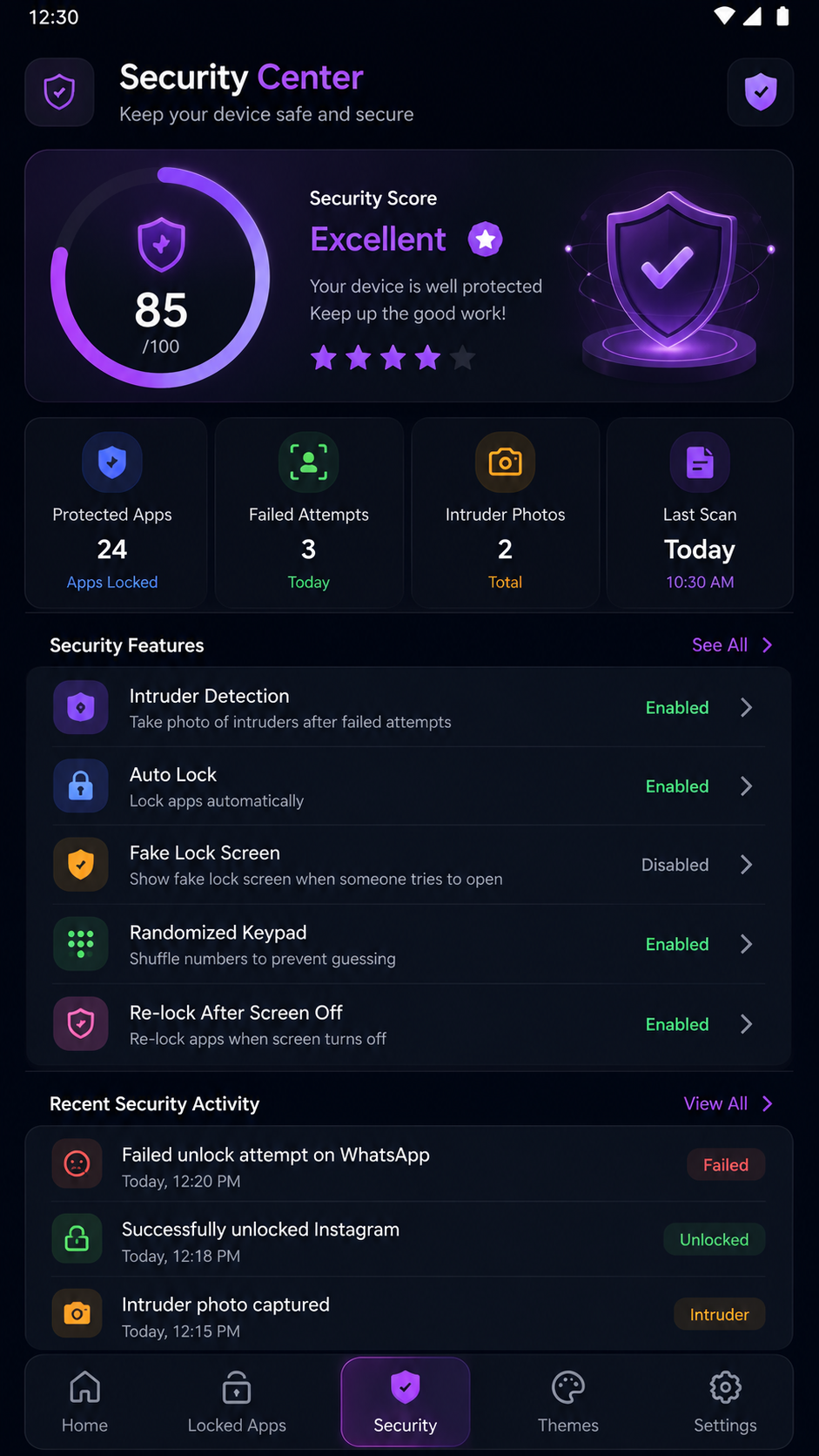
Security Center

Security Center

Detailed security analytics

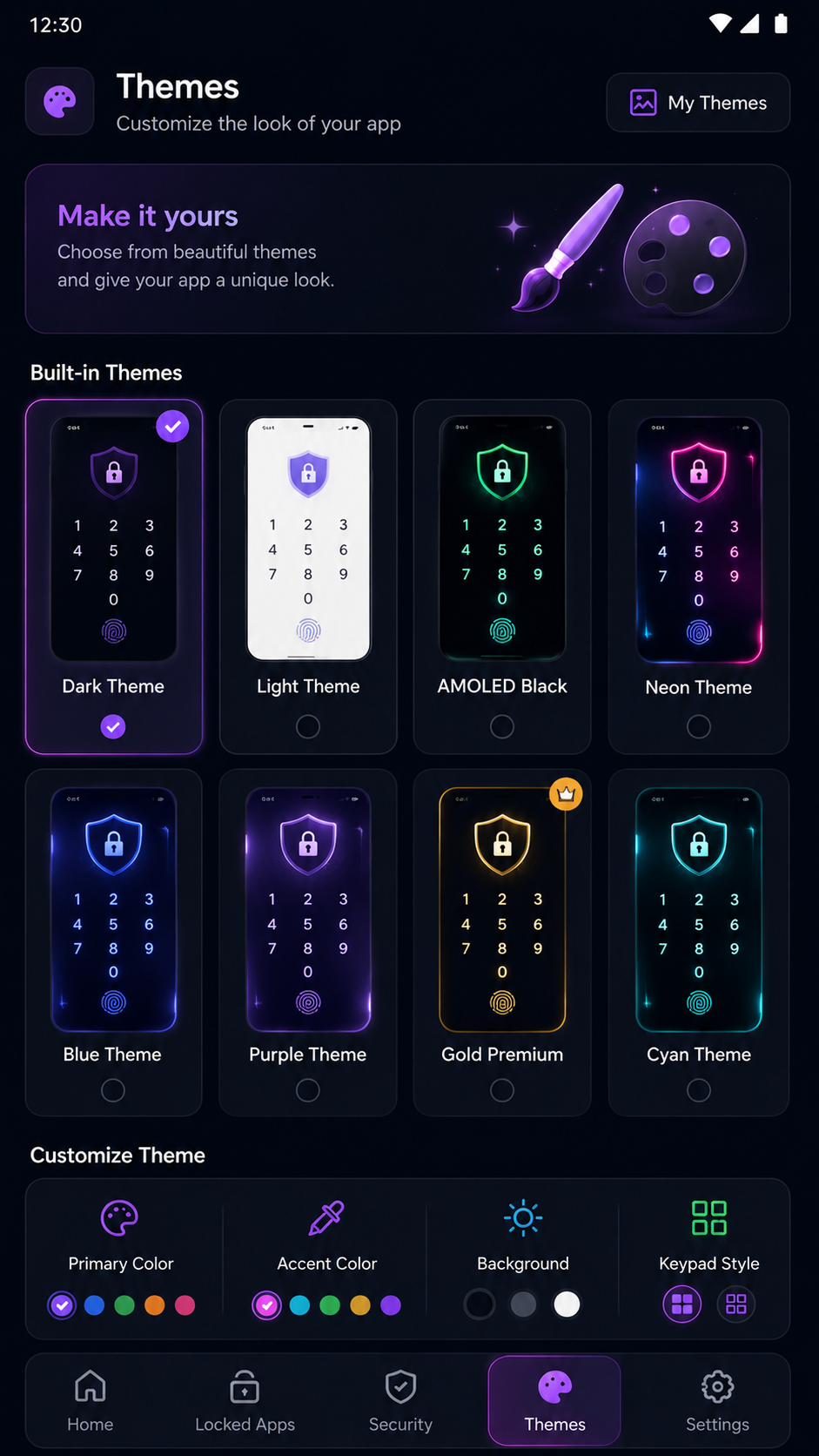
Themes

Themes

Dark, light & custom themes

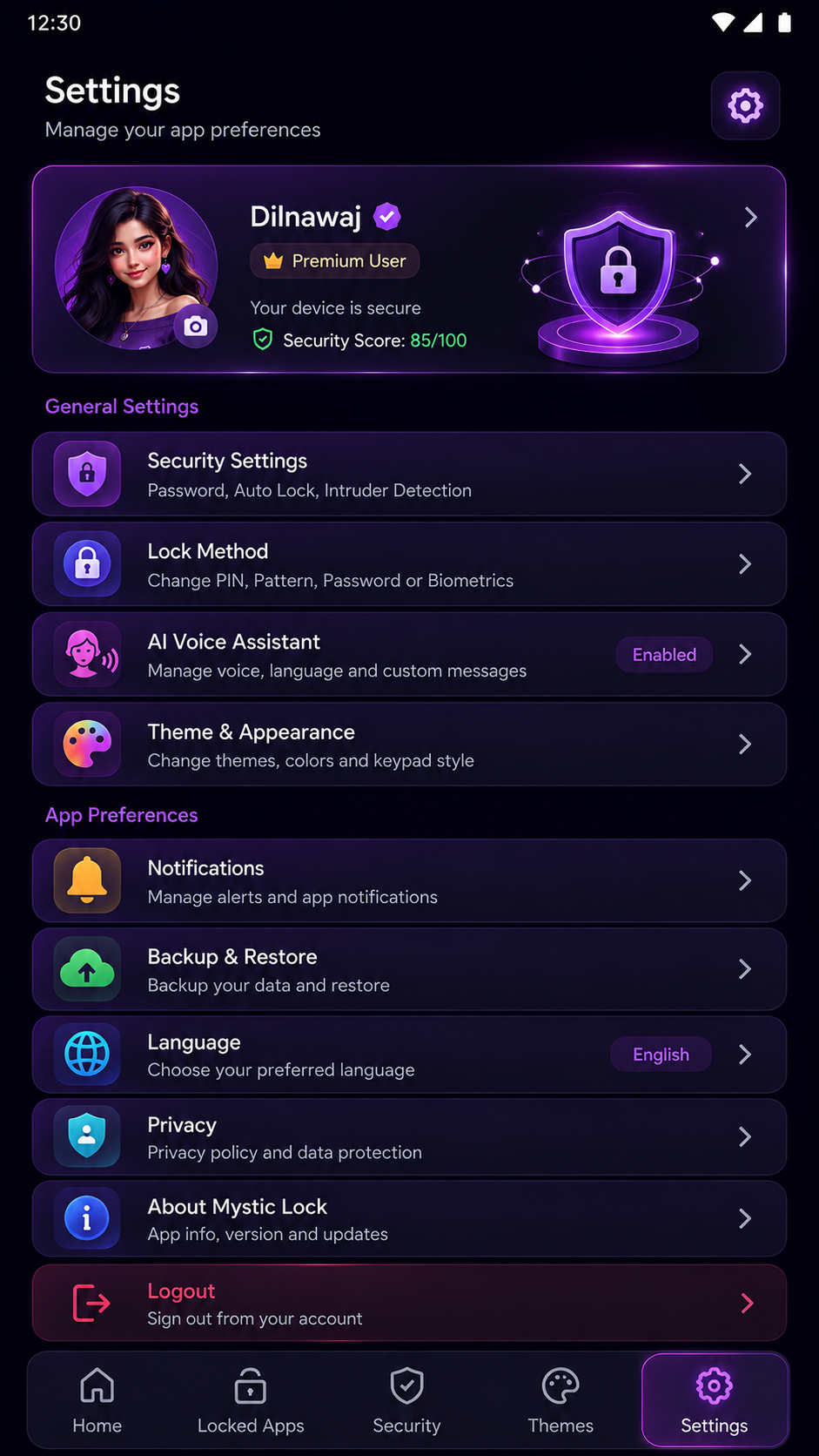
Settings

Settings

Configure your preferences

Full Dashboard

Full Dashboard

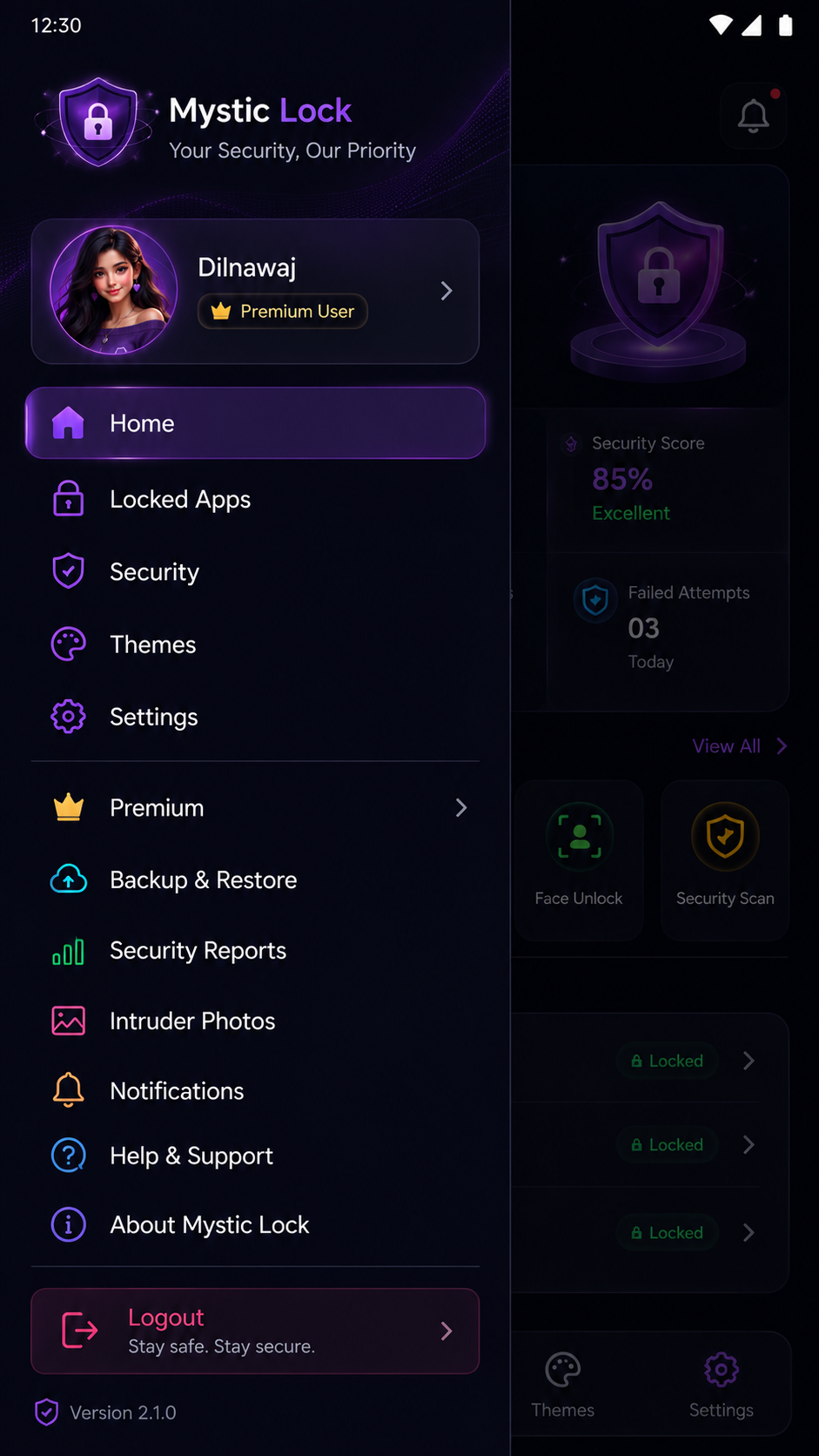
Complete app navigation hub

Meet Your AI Voice Assistant

An intelligent companion that makes security fun and interactive.

Mystic AI
Oho... tumne lock galat daal diya jaan.
Haha, sorry! Let me try again.
Mystic AI
Wow... tumne dhoond hi liya mujhe.
You're the best security companion!
🤖

Frequently Asked Questions

Got questions? We've got answers about Mystic Lock.

Mystic Lock is a powerful Android app lock that protects your private apps using fingerprint, face unlock, pattern, PIN, and password. It features an AI voice assistant, intruder detection, security reports, and a stunning premium UI with multiple themes. It's the most feature-rich app lock available for Android.
Mystic Lock uses Android's native biometric APIs and hardware-level security for maximum protection. All authentication happens locally on your device — your credentials never leave your phone. Intruder detection captures photos of unauthorized attempts, giving you complete visibility into who's trying to access your apps.
Yes, Mystic Lock fully supports fingerprint unlock on all Android devices with a fingerprint sensor. It integrates directly with your device's biometric hardware for fast, reliable authentication. You can use fingerprint as the primary lock method or combine it with PIN or pattern for added security.
Absolutely! Mystic Lock supports face authentication on compatible Android devices. It uses your device's built-in face recognition for a seamless, hands-free unlocking experience. Simply look at your phone and your protected apps unlock instantly, combining convenience with strong security.
Mystic Lock is available as a free download with all core security features included. You can protect unlimited apps using fingerprint, face unlock, pattern, PIN, and password. The AI voice assistant, intruder detection, security reports, and beautiful themes are all part of the free experience.
Mystic Lock

Download Mystic Lock APK

Get the most advanced app lock for Android. Secure your privacy today.

Download Now

Version

1.0

Category

Security

Platform

Android

Size

XX MB